最新消息

掌握最新發布內容、改進和修正。

跟隨 @NotionHQ
2.49

Notion 2.49:頁面驗證、具條件式邏輯的 Notion 表單等!

透過已驗證頁面建立信任感

已驗證頁面會優先顯示於搜尋結果中,也會出現在引文和提及中。系統會在需要重新驗證時提醒你以免過期。

已驗證頁面

快來試試 Webhook!

Notion 內容有變動時,傳送即時更新給 API 整合。例如,使用 Webhook 將 Notion 頁面發布至部落格,或 Notion 中的任務被編輯時,自動通知 Zendesk 的客戶體驗團隊。深入了解 →

Webhook

用 Notion AI 搜尋 Jira測試版

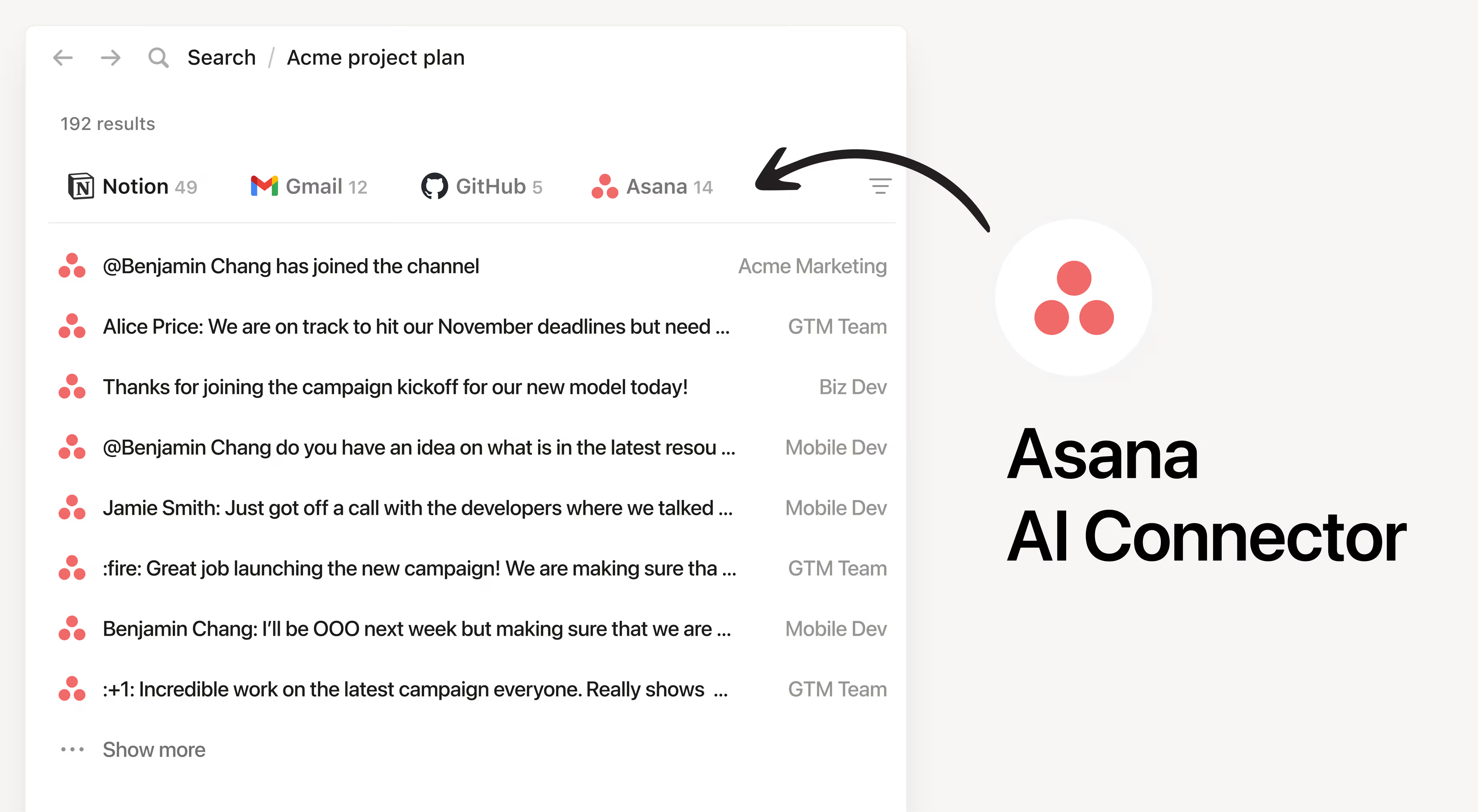
連接 Jira Cloud 執行個體,快速尋找團隊優先事項、狀態更新和任務等相關答案。如果需要其他來源(如 Slack、Notion、GitHub)才能找到答案,也能透過 Notion AI 搜尋!

Jira 連接器

一鍵查看圖表資料

想要深入了解圖表資料嗎?現在,只要點擊圖表任一處,即可快速了解詳情。

使用條件式邏輯建立更好的表單

現在,你可以在 Notion 表單使用條件式邏輯,針對不同回答提出後續問題。只有商業版和企業版用戶能使用此功能,不過任何人都能嘗試建立和共享 Notion 表單

條件式邏輯

在一個頁面上查看多個資料庫

無須離開頁面,就能在資料庫間(專案追蹤工具、團隊文件、產品藍圖、Notion 中所有內容)快速切換。只要在頁面頂端點擊自訂版面配置,選取頁面設定中的分頁式,然後將資料庫新增至標題下方的分頁。

強化管理員控制

這一項專屬於工作空間管理員!在同一處管理所有成員、訪客和安全性設定,即使有多個工作空間也沒問題。企業版用戶只要前往設定,即可設定組織。

組織層級控制

快速安全地登入 💨

使用 Touch ID 或 Microsoft ID 等通行金鑰快速登入 Notion。此外,你現在可使用相同憑證登入 Notion 和 Notion 日曆!

通行金鑰

iCloud 🤝 Notion 日曆

這一項專屬於 Apple 使用者,Notion 日曆現可與 iCloud 行事曆搭配使用!在此處下載最新的 Notion 日曆應用程式。

一些其他改進項目

  • 開發人員有福了,我們的開放 API 端點速度提升了 2 倍。

  • 現在,管理員可以控制員工在公司網路中能使用的 Notion 工作空間,有助於將工作和個人帳號分開。深入了解 →

2.48

Notion 2.48:一鍵設定 Notion、日曆更新等

讓 AI 幫你建立

使用 AI 立即建立自己的設定,幫你節省大量時間!描述你的需求(要多詳細都可以),AI 會幫你建立使用案例。只要輸入 /資料庫,然後選取透過 AI 建立,即可使用。

AI 資料庫專業 (1)

一鍵打造工作流程

系統提供多個預先準備好的設定,例如任務追蹤工具、會議記錄和腦力激盪會議。你也可以輕鬆自訂。只要建立新頁面,點擊資料庫,然後選取 更多範本即可

一鍵 Rev (1)

善用週期性任務,提升效率

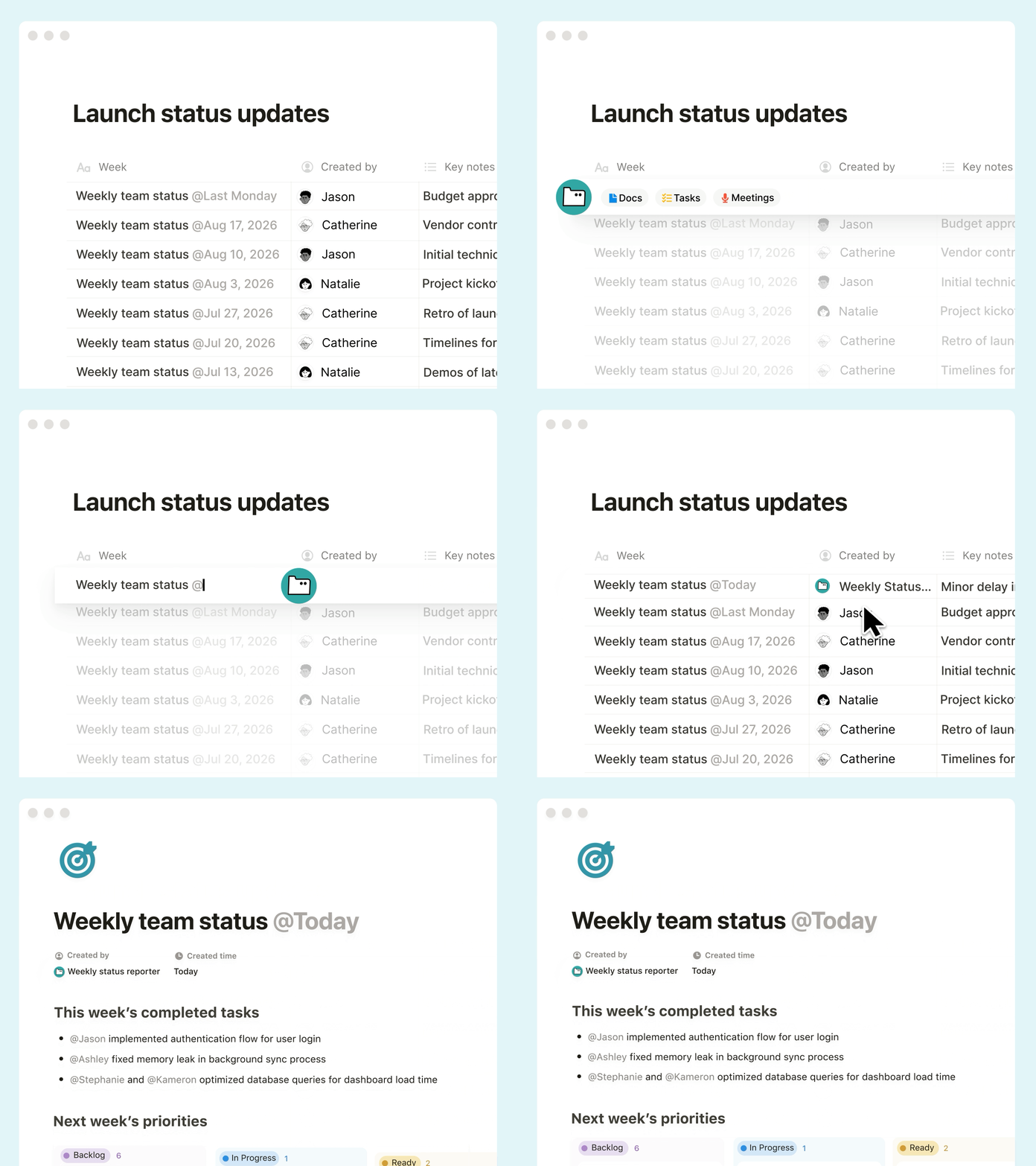
使用週期性資料庫自動化,依排定時間自動更新頁面。每週提醒事項只要設定好,就能放心交給系統。標記為進行中中的專案也能自動產生每週狀態文件。

週期性

查看有文件存取權限的人員 👀

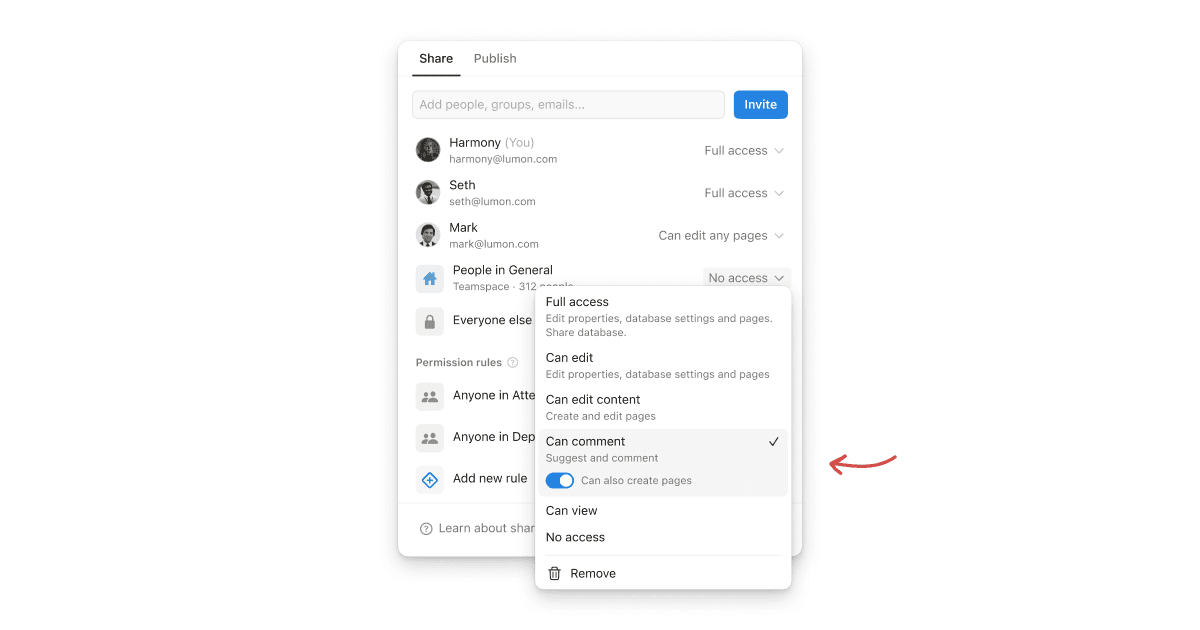
分享選單中,你可以清楚看見有文件存取權限的人員,以及對方的存取權限類型,讓你避免再收到「需要存取權限」的提示。

共享存取權限

限制表單回覆者可以查看的內容

現在,你可以限制查看權限。工作空間的其他人將只能查看自己的提交內容,而不是回覆的整個資料庫。

表單最新消息 (1)

替換時間安排應用程式的更多誘因

Notion 日曆中的預約頁面連結現在可以設定到期日,以及可以提前多久安排會議時間。下載 Notion 日曆 →

日曆設定

更多升級,展開新的一年!

  • 如果自動化有錯誤,系統會顯示實用提示,以便你修復!

  • ••• 更多選單新增了搜尋設定的功能。

  • 建立可複選回答的表單問題時,你現在可以選取回答數量上限。

  • 在 Android 應用程式的收件匣中,你現在可以向左或向右滑動對通知進行操作。

  • 你現在可以建立在頁面頂端或底部插入區塊的按鈕。

2.47

2.47:更多自動化、從 GitHub 獲得答案和便利的日曆時間安排功能

從 GitHub 獲得答案測試版

現在,詢問 Notion AI 問題時,系統不只會搜尋 Slack 和 Google 雲端硬碟等來源,也會搜尋 GitHub 以取得答案。為你省下大量心力,來尋找程式碼、Markdown 檔案和提取要求等。深入了解 →

GitHub AI 連接器(測試版)

透過 Webhook 動作,將 1,000 多個工作流程自動化

我們不斷致力推出 Webhook,而這是我們邁向成功的第一大步。現在,你可以透過 Zapier 和 Make 等平台,將工作流程與其他數千種工具連接。歡迎試試看按鈕或資料庫中的新自動化,例如觸發在 X(即 Twitter)發布文章,或更新 Hubspot 中的聯絡人。無限可能,等你探索!深入了解 →

Webhook 動作 gif

按下按鈕,傳送通知

不必再切換應用程式,即可傳送訊息給團隊!使用 Notion 按鈕,傳送 Notion 通知或從 Gmail 傳送自訂電子郵件。在工作流程中試試此功能,以便收到錯誤報告時自動通知同事,或完成重要任務後傳送電子郵件給主管。深入了解 →

使用 Notion 日曆輕鬆安排時間

另一個省時妙招:現在,透過 Notion 日曆分享有空時段時,你可以允許多人預約你的時間,避免撞期並重新安排,只要一個應用程式就能輕鬆安排時間。如果想在電子郵件中新增預約頁面連結也十分簡單!下載 Notion 日曆 →

使用新的 iOS 捷徑擷取筆記

要記錄靈光一閃的點子變得更加容易了!我們新增了 4 個 iOS 捷徑:建立頁面、在 Notion 中搜尋、新增頁面文字和打開特定文件。請使用 iPhone 的捷徑應用程式設定。下載 iOS 版 Notion →

我們在意細節

  • 顏色選擇器:我們重新設計了顏色選擇器,讓你清楚了解變更的元素。

  • 圓角:我們對資料庫的核取方塊進行圓角處理,看起來更加美觀!

  • 生日快樂:試試看 Notion 日曆的生日活動類型。系統會每年自動重複活動,讓你不再忘記重要日子。

  • 《健康保險可攜與責任法》(HIPAA) AI 升級:你知道 Notion AI 符合 HIPAA 規範嗎?現在 HIPAA 客戶可以使用 Notion AI 分析 PDF。

  • Monday.com 匯入工具測試版:現在,你可以從 Monday.com 匯入任何類型的看板。選取你想匯入 Notion 的特定看板,或選擇一次移轉所有內容。試試新的匯入工具 →

2.46

Notion 2.46: Forms, Mail, layouts, new automations, and more!

Watch the recap

Introducing forms, right inside Notion!

Forms give you an easy way to capture requests, feedback, RSVPs, or anything you need right where you work. Responses are stored in a Notion database, where you can keep everything organized, visualize the input as a chart, or turn feedback into tasks. No need for an outside tool! You get unlimited forms for free. Try one out →

Automations-Professional

Notion Mail (coming soon!)

Email hasn’t changed in 20 years. It's cluttered, chaotic, and hard to manage. So we rebuilt it! Notion Mail is fast, minimal, and does all the organizing and back-and-forth of scheduling for you! Best part is “views” that let you customize your inbox to your workflows, just like the rest of Notion. We can’t wait for you to try the preview and hear how it changes the way you work. Join the waitlist!

Layouts to customize your page

The way you and your team work is unique and your tools should be flexible enough to match! So we created a way for you to layout your tasks, goals, documents, or whatever you keep in Notion. Your newly organized, beautiful pages will help keep teams focused and efficient. Try it out by hovering over any database page title and clicking Customize layout.

Automations can now send emails

Now you can use an automation to notify people via Gmail (one of your top requests!). Trigger an email when information changes, like when a form has been submitted or the status of a project changes. Soon you’ll be able to send custom web requests to platforms like Zapier and Make to trigger actions in other apps, too.

Email-Action

Automate more actions with formulas

This is a true superpower. Database and button automations now support formulas that can complete steps in the background when you trigger an action—a huge time saver. For example, when you mark a task done, you can automatically show how little time it took to complete. Dig in to learn more →

Formula-Action

Introducing the new Marketplace

Have you created an amazing setup or workflow? We’ve made it easier than ever to list and sell your template. Native payments, analytics, reviews and ratings, safeguards to prevent unfair re-distribution—all in the best place for millions of users to discover your work! Whether you’re looking for the perfect template or starting a business—there are creators who make seven figures on Notion!—this is the place. Go to Notion Marketplace →

Custom emojis!

Maybe the best update ever? You can now upload your own emojis! Use them in your page titles or anywhere—just type /emoji or : followed by its name.

Custom emoji 2

Personalize your URLs

Notion Site URLs often have a long string of numbers and characters, but now you can make them exactly what you’d like! Cory, our video producer and resident birder, turned his site birdingnyc.com/NYC-Birding-Checklist-3ebf732864 into birdingnyc.com/mybirds. Just use the SharePublish menu. Learn more →

URL personal

Shortcut to Notion features

When searching, type in a keyword like “Home,” “Settings,” or “Templates” to jump to specific places in Notion. Try it with the ⌘ P keyboard shortcut. It’s a small thing that can make you much faster!

Search for Features 1

A few more improvements

  • Load database info 15% faster. Even with all these new features, performance is still our top priority.

  • Now your page titles, database views, and database pages are aligned (check it out). Sometimes the smallest design details matter most!

2.45

Notion 2.45:全新 Notion AI 重磅登場

全新 AI 連接器測試版:Google 文件、試算表、簡報

現在,當你向 Notion AI 提問時,系統將搜尋受信任知識來源以找到答案。目前支援 Slack 和 Google 簡報,讓你不必在茫茫記憶中苦苦挖掘。另外即將支援 GitHub 和 Jira 等其他工具!深入了解 →

按照自己風格產生和編輯文件

宛如有一組專業編輯與作家團隊。現在,使用 Notion AI 產生或編輯內容時,你可以引導系統提供具備自己風格的答案。輸入 @ 提及頁面,例如風格指南、專案更新或使用者的意見回饋,就能避免獲得一般答覆!深入了解 →

分析 PDF 和圖片

Notion AI 現在可以從冗長的 PDF 中分析見解,根據提案建議回推計畫,或解釋任何上傳的圖片。只要點擊 📎 圖示即可!深入了解 →

暢聊任何話題

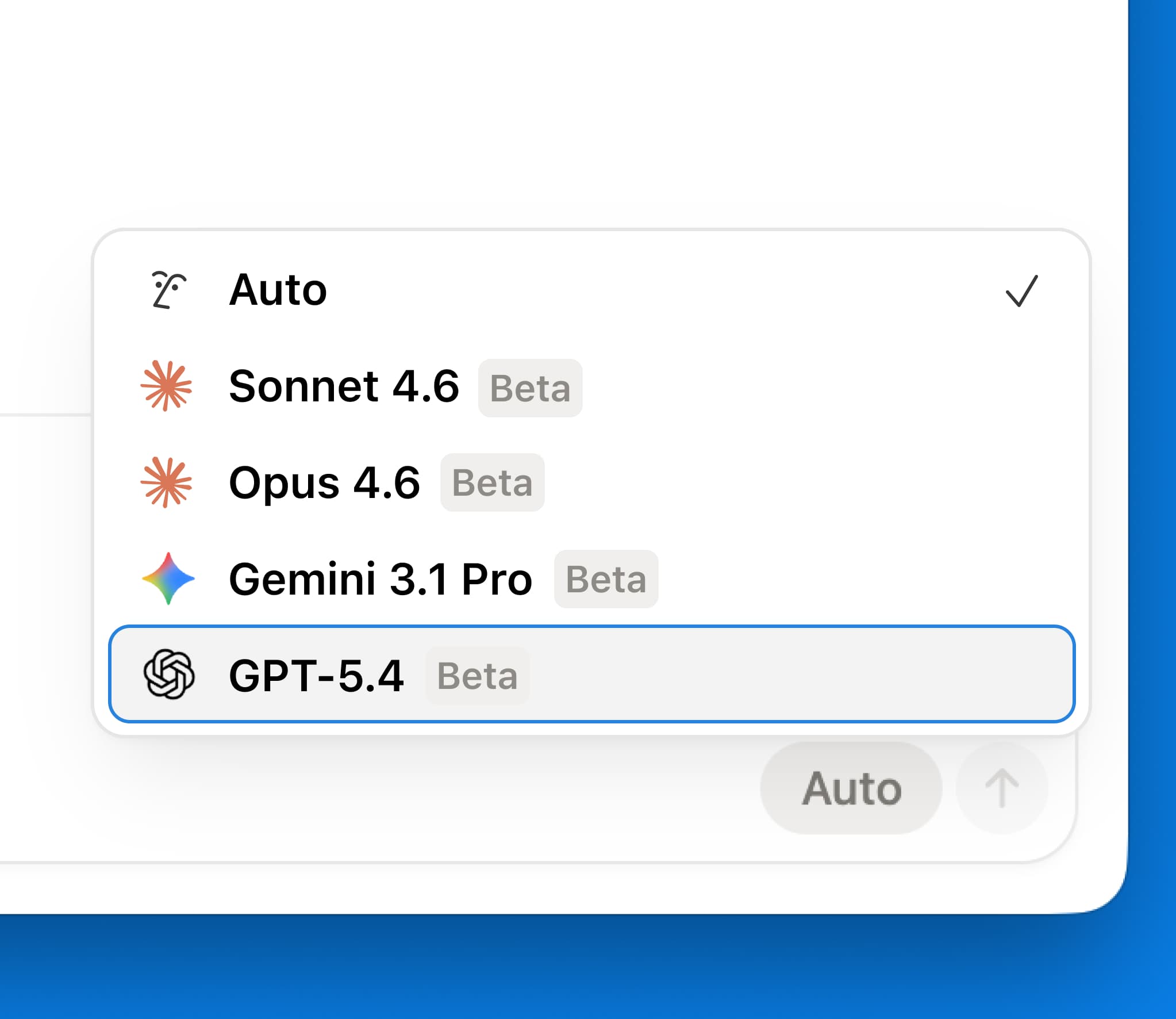
Notion AI 能存取首屈一指的語言模型,例如 GPT-4 和 Claude,讓你私下詢問任何問題。另外,不用從別的分頁複製/貼上回覆,就可以輕鬆將回覆新增至自己的頁面。深入了解 →

協助解決有關 Notion 的問題

Notion 的功能多元,現在利用 Notion AI 的力量,你可以完整解放工作空間的潛能。不用再搜尋說明文件、觀看 YouTube 影片或求助團隊成員,只要向 Notion AI 提問,並在來源選單選取 Notion 幫助中心,就能獲得答案。

系統協助方式的建議

反白文字時,Notion AI 會建議相關協助方式。系統可以解釋文字,或協助提升寫作。一鍵即可取得所需,不用輸入文字指令。團隊表示這個全新實用設計使 Notion AI 的價值大大提升!

2.44

Notion 2.44: Introducing charts + a sneak peek at forms

Create a chart in seconds

Turn any database into a chart in one click! Charts help you and your team track projects, goals, sales, or any info you keep in Notion. Try them for free—and if you love them, create unlimited charts on any paid plan.

Task List New 2 (1)

Place charts on any page

It’s easy to add charts to any Notion page or database. Just type /chart and pick your source. When the source data changes, your chart will update automatically. No more pasting screenshots that quickly fall out of date.

Use multiple charts to track everything

Nobody likes flipping between apps to stay on top of projects. Now you don’t have to: you can add multiple charts on a page, then click and drag them anywhere to make a custom layout. And embed analytics from other tools like Tableau and Amplitude to create your dream dashboard!

Customize your charts

Choose from bar, line, or pie charts and change color palettes, axis names, data labels, and more. Charts should be as beautiful as they are useful!

Smarter, more flexible automations

Automations got a big upgrade. You can now specify more than one condition to trigger an action—for example, when a task is marked “overdue” and “high-priority”, automatically notify the team. Or set them to run only when a specific value is met, like when an issue is marked "at risk”. Plus, automations can do new things, like adding or removing people assigned to a project. Learn more →

automation-edit

Next up, Forms! Coming Soon

You’ve been asking for this feature, and we listened. You’ll now be able to request feedback, post surveys, and collect RSVPs or whatever info you need. All responses will automatically populate your Notion database—no more logging results manually. We’ll start opening access in the coming weeks! 😄

image (6) (1)

More new features

  • Coming soon Chart drilldown: Soon you'll be able to click on any data point to review its underlying pages.

  • Add comments on database properties: Ping a colleague or add a note to any database property.

  • Get a sneak peek of desktop tabs: When your cursor hovers over a tab in the desktop app, you’ll see a preview of that tab’s content.

  • Add links to images: Now you can direct any image to a specific page or URL.

2.43

Notion 2.43: Suggested edits + new Notion AI features

Suggested edits

Collaborating on docs used to be a pain, so we made it much easier to track changes! Now any collaborator can make suggestions, and you or a teammate can quickly accept or reject.

Suggest edits

A better Inbox

It can be hard to keep track of all the activity happening in your workspace. So we’ve grouped suggested edits and comments into easy-to-read threads. And as you jump from page to page to resolve comments, your new Inbox stays open to keep you focused.

Better inbox

One-click AI skills (no prompt required)

Using AI can feel hard—unless you know how to write a perfect prompt from scratch. These one-click skills make it much easier! Brainstorm ideas, make a diagram, summarize notes, or translate content—all with one click.

One click AI

Notion AI can answer any question! It finds the right info from Notion, Slack (soon Google Drive & Github too), and models like GPT-4. No need to search a bunch of tools. And with a full-page window, you have a distraction-free place to chat.

AI chat box

Notion AI global shortcut

Now, if you’re designing in Figma, responding to a customer in Zendesk, or analyzing data in Hex, you can summon Notion AI to answer your questions right then and there. Use the new global shortcut ( ⌘ + shift + J for Mac, ctrl + shift + J for Windows) when you have our desktop app installed.

Shortcut AI

Import from Asana

When your projects and docs are in the same tool, your team can stay focused on the real work (no more hunting for info between tools!). In the new-and-improved Asana importer, select which projects you’d like to bring over, and convert them into easy-to-use Notion databases.

Asana importer improved

More new features!

  • The upgraded Jira Sync integration offers faster syncs, more customization and upgraded database functionality for your synced Jira Projects and Issues.

  • Notion Calendar is available as an Android app! Use it to manage multiple Google calendars, open linked Notion docs, and get in-app meeting notifications. Try it →

  • Now you can add a note when you’re RSVPing Yes, No, or Maybe to an event in Notion Calendar.

  • The ••• menu in your databases is redesigned, with a new Customize option and automatic suggested properties.

  • The in-app template gallery just got a huge redesign! Now you can browse 20k+ templates without leaving your Notion app.

Notion Calendar is now on Android

Use Notion Calendar on Android

We’re excited to bring this popular request to you! Notion Calendar is now available as an Android app. You can use the app to manage multiple Google calendars on the go, view your schedule across time zones, and open connected Notion docs. Get it free now →

Cal on Android

P.S. Notion Calendar is now available on every major platform (web, macOS, Windows, iPhone, and Android).

Upcoming changes coming to our Plus plan

The evolution of the Plus plan

More than five years ago, we introduced the Plus plan to give you a more powerful way to create docs, store knowledge, and collaborate on projects across work and life. Since then, we’ve added many new features, including 90 updates in 2023 alone, to help you and your team get organized and be more productive.

Today, Plus plan customers can do so much more in Notion:

  • Expand how you use Notion with unlimited blocks and file uploads

  • Never lose track of your work with 30-day page history

  • Collaborate with up to 100 free guests

  • Keep everyone on the same page with synced databases

  • Manage projects with automations to knock out repetitive work

  • Organize company knowledge in unlimited teamspaces

  • Launched this week: publish a beautiful website with custom domain and visual tools

  • And, coming soon: visualize data with unlimited charts and dashboards to track progress and goals

We've been blown away by what our community has built with Notion since. What started with tracking personal to-dos and writing simple docs has turned into managing complex team projects and organizing company-wide knowledge.

An update to our Plus plan pricing

This year, we are updating our Plus plan pricing for the first time to reflect this growing value.

New pricing by currency

Currency

New annual plan price
(per member/month)

New monthly plan price
(per member/month)

USD

$10

$12

EUR

€9.50

€11.50

GBP

£8.50

£10


New Plus plan users

The updated pricing for the Plus plan takes effect immediately for new customers globally starting June 26, 2024. If you’re a nonprofit, a startup, a teacher, or a student, you can continue to enjoy the same discounts for the Plus plan.

Existing Plus plan users
For existing customers, we deeply appreciate your trust and support. We’re providing a three-month window before the updated pricing applies to give you time to adjust to these changes. Within that time, you also have the option to keep the current annual pricing for another year by renewing or switching to annual plan by September 30. Otherwise, the new pricing will go into effect at your next renewal on or after October 1, 2024.

We want to thank you again for your trust in Notion. We believe we have the best community in the software industry, and it’s a privilege to have people like you help us make the product better. We're committed to adding more to the Plus plan over the coming years so Notion can continue to meet your needs and bring you joy in your work and life. You’ll hear from us about new updates coming later this summer!

Have questions? Our Help Center is here for you.

2.42

Notion 2.42: Introducing Notion Sites

Build a Notion Site in minutes

Launching a website should be easy—not a task that requires yet another tool! So we turned Notion’s one-click “Publish“ button into a full suite of features called Notion Sites. I’m already seeing people create company homepages, job boards, and even entire help centers.

site1

www.YOURIDEA.com

Connect your own domain or use a custom notion.site URL (I put my photography on ivanzhaophotos.com 😊).

email-custom-domain-professional

Make it yours

You can now customize your top header, choose a light or dark theme, and add the perfect favicon.

theme v1

Build your audience with SEO and Google Analytics

Just because you built it doesn’t mean they’ll come. Add custom metadata to make your site easier to find on search engines. Then, integrate with Google Analytics to track all of your new visitors.

email-seo-professional

Coming soon Charts! (We know you’ve been waiting)

We love charts. They turn data into a story. Soon you’ll be able to create bar charts, line charts, and donut charts to visualize progress. Use them for anything you track in Notion: projects, OKRs, sales pipeline, and more. Charts will launch in the coming weeks. They’ll be free to try, with unlimited charts available on the Plus, Business, and Enterprise plans.

email-charts

Quality of life improvements

  • Easier commenting: You can now right-click on a database entry and add a comment without having to actually open it to a full-page view.

  • Better “find”: Cmd+f can now find hidden content in collapsed toggles or within databases. It also does elegant things like closes automatically when you start to edit or navigate to a new page.

Powered by Fruition