Dashboard views are a new database view for better visibility and context. This lets teams (and agents) easily assemble beautiful, glanceable overviews directly on top of their databases. Combine multiple views, KPIs, and key properties into one “control panel” so you can see what matters at a glance and act quickly.
Notion AI can now generate and edit images right on your page. Create cover images, realistic photos, styled charts, diagrams, and slide visuals, then refine them with follow-up prompts until they look just right. Just type /ai image or ask Notion AI in chat.
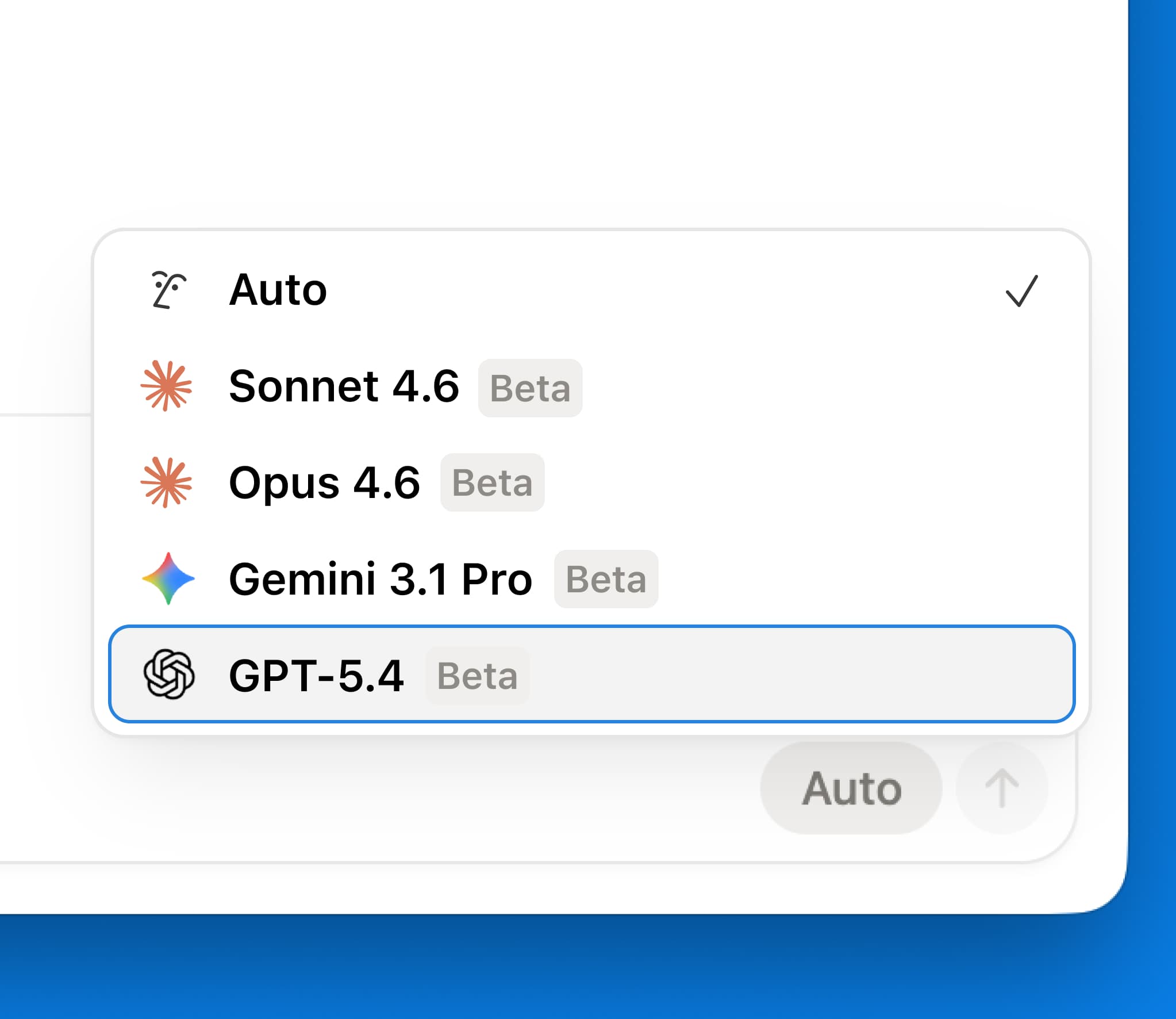
GPT-5.4 ya está disponible en el selector de modelos de Notion. Se trata del modelo más reciente y potente de OpenAI para trabajo profesional. Tarda menos en contestar y consume menos tokens para tus tareas más exigentes.
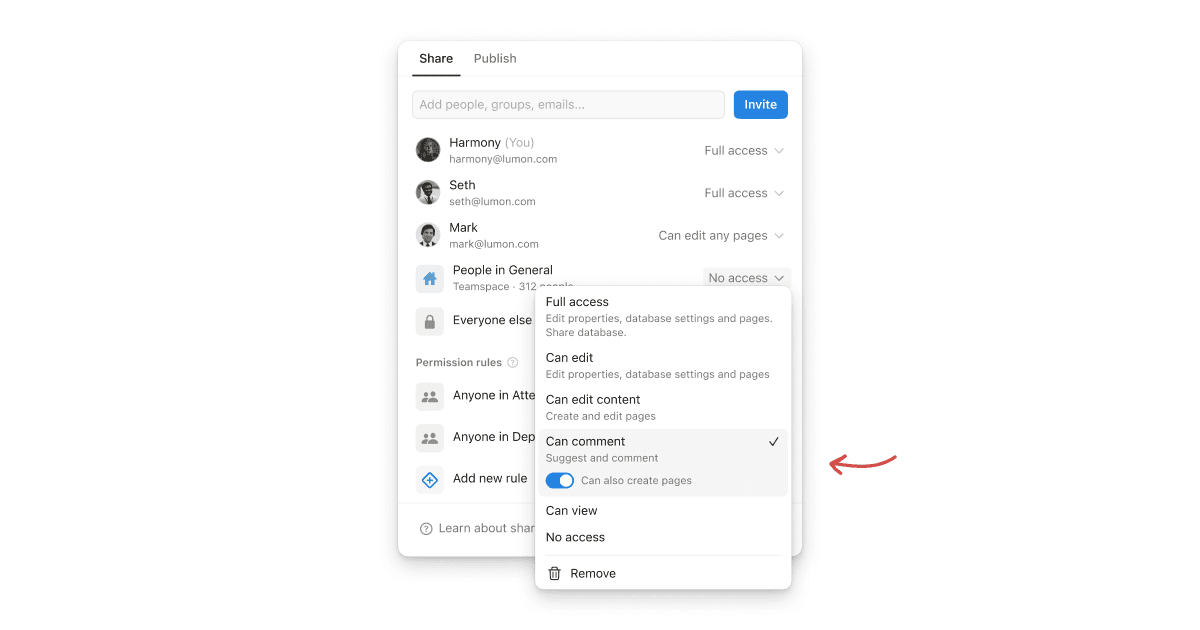
Nuevo permiso “puede crear páginas” para bases de datos
El nuevo permiso “puede crear páginas” para bases de datos les permite a los usuarios crear nuevas páginas en una base de datos, aún sin poder ver o editar otros contenidos a los que no deberían tener acceso.
Imaginemos una base de datos de reuniones donde un compañero de equipo puede consultar sus propias notas de reunión y crear nuevas reuniones, sin poder ver las de las demás personas.
Esta función brinda un control más preciso sobre permisos para bases de datos. Pruébala en los casos donde tu equipo trabaja con colaboradores externos o donde se maneja información confidencial.
Ahora los agentes personalizados son compatibles con MiniMax M2.5, un modelo de peso abierto que para tareas básicas resulta hasta 10 veces más eficiente a nivel de gastos. Lo puedes encontrar en el selector de modelos de los agentes personalizados.
Puedes transformar cada página de Notion en una presentación a pantalla completa. Basta con agregar divisores que separan cada diapositiva. Después pulsa ⌘⌥P (Mac), Ctrl+Alt+P (Windows), o Presentar en el menú •••. El tamaño del contenido se ajusta de forma automática a la pantalla, con un diapositiva de título muy fácil de leer y desplegables totalmente funcionales. Disponible en planes Plus y superiores.
¡Buenas noticias! Los Agentes personalizados ya están aquí. Y son bastante diferentes a otras herramientas de IA que hayas probado.
En primer lugar, son totalmente autónomos (no hace falta ingresar indicaciones). Solo tienes que asignarles una tarea, establecer un activador o una frecuencia y ellos se encargarán de todo, las 24 horas del día. Tus agentes pueden automatizar la priorización de tareas, las preguntas y respuestas internas, las reuniones diarias y los informes de estado, e incluso ayudarte a dejar la bandeja de entrada vacía.
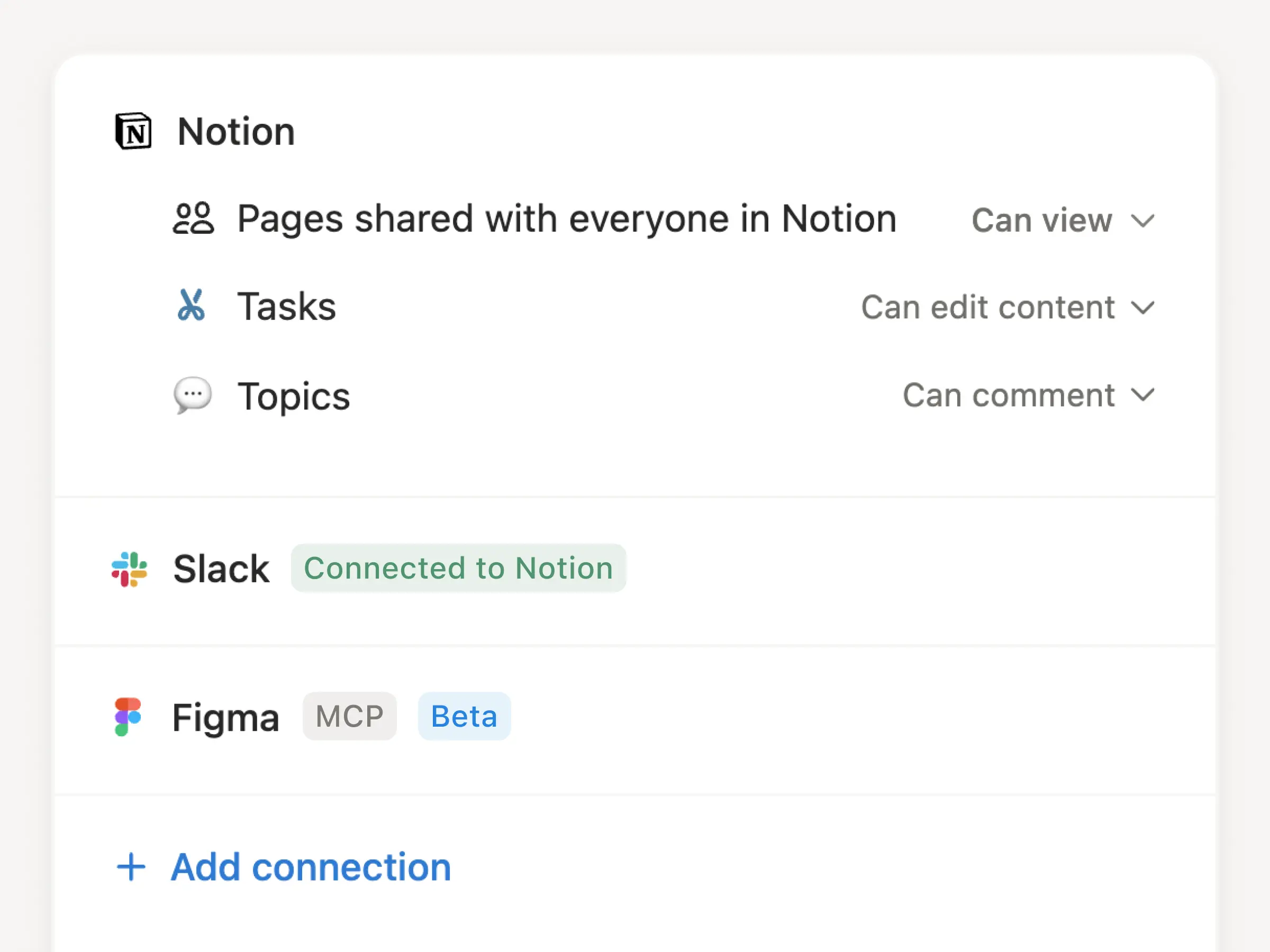
En segundo lugar, están diseñados pensando en los equipos, por lo que puedes crearlos juntos y compartirlos. Además, podrás controlar todos sus permisos, igual que harías con un compañero de equipo real, e integrarlos con las herramientas que tus equipos ya utilizan (como Slack y Figma, entre otras).
Por último, los Agentes personalizados son muy fáciles de crear. Haz la prueba: ¡crea uno y déjalo trabajar mientras duermes! Aquí tienes algunos ejemplos de lo que pueden hacer:
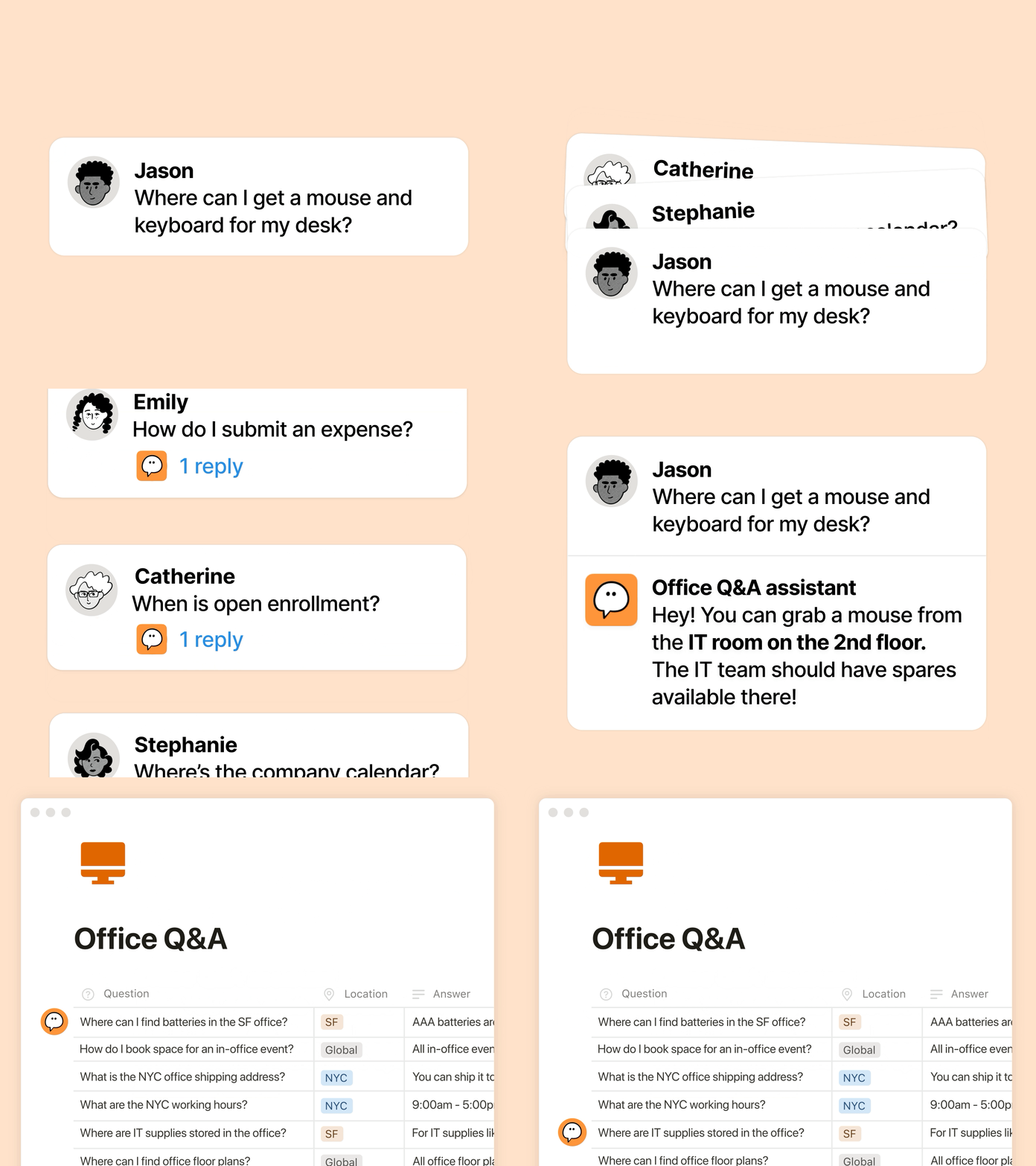
Los agentes de preguntas responden a preguntas recurrentes
En lugar de contestar a las mismas preguntas en Slack una y otra vez, ahora puedes dar a tu agente personalizado acceso a las fuentes adecuadas, como Notion, Slack, Notion Mail, Notion Calendar o integraciones MCP, para que pueda responder de forma autónoma. Hemos visto muchísimos ejemplos con nombres tan logrados como “Pedro te da la bienvenida”, “Tu héroe de TI” o “Detective de ventas”.
Ben Levick lidera el equipo de Operaciones e IA interna en Ramp y creó decenas de Agentes personalizados. “Nuestros agentes responden cada día decenas de preguntas complejas sobre producto y capacitación, con un alto índice de éxito. Los equipos que antes supervisaban esos canales ahora solo auditan las respuestas y aplican las mejoras al Agente personalizado”. Descubre la historia completa de Ben →
Los Agentes de gestión de tareas procesan automáticamente las solicitudes entrantes
Los Agentes de gestión de tareas procesan automáticamente las solicitudes entrantes
En lugar de gestionar solicitudes en múltiples sistemas, los Agentes personalizados pueden recopilar las solicitudes entrantes, convertirlas en tareas y asignárselas al responsable adecuado para que no se pase nada por alto y el equipo pueda concentrarse en su trabajo.
James Lawley, gerente de Operaciones de TI de Remote, consiguió que su equipo ahorre 20 horas por semana. “Reemplazamos un sistema que había crecido sin control con Agentes personalizados que clasifican las solicitudes con más de un 95 % de precisión y resuelven de forma autónoma más del 25 % de los tickets, además de mantener sinocronizados a Slack y Notion”.
Descubre la demo de Simon sobre nuestro agente “todo el feedback del producto”, que se encarga de gestionar errores y tickets de principio a fin. También puedes conocer a Centinela, el agente que le ahorró más de 6 horas a la semana al equipo de Seguridad.
Los Agentes de informes de proyectos redactan informes con la frecuencia que elijas
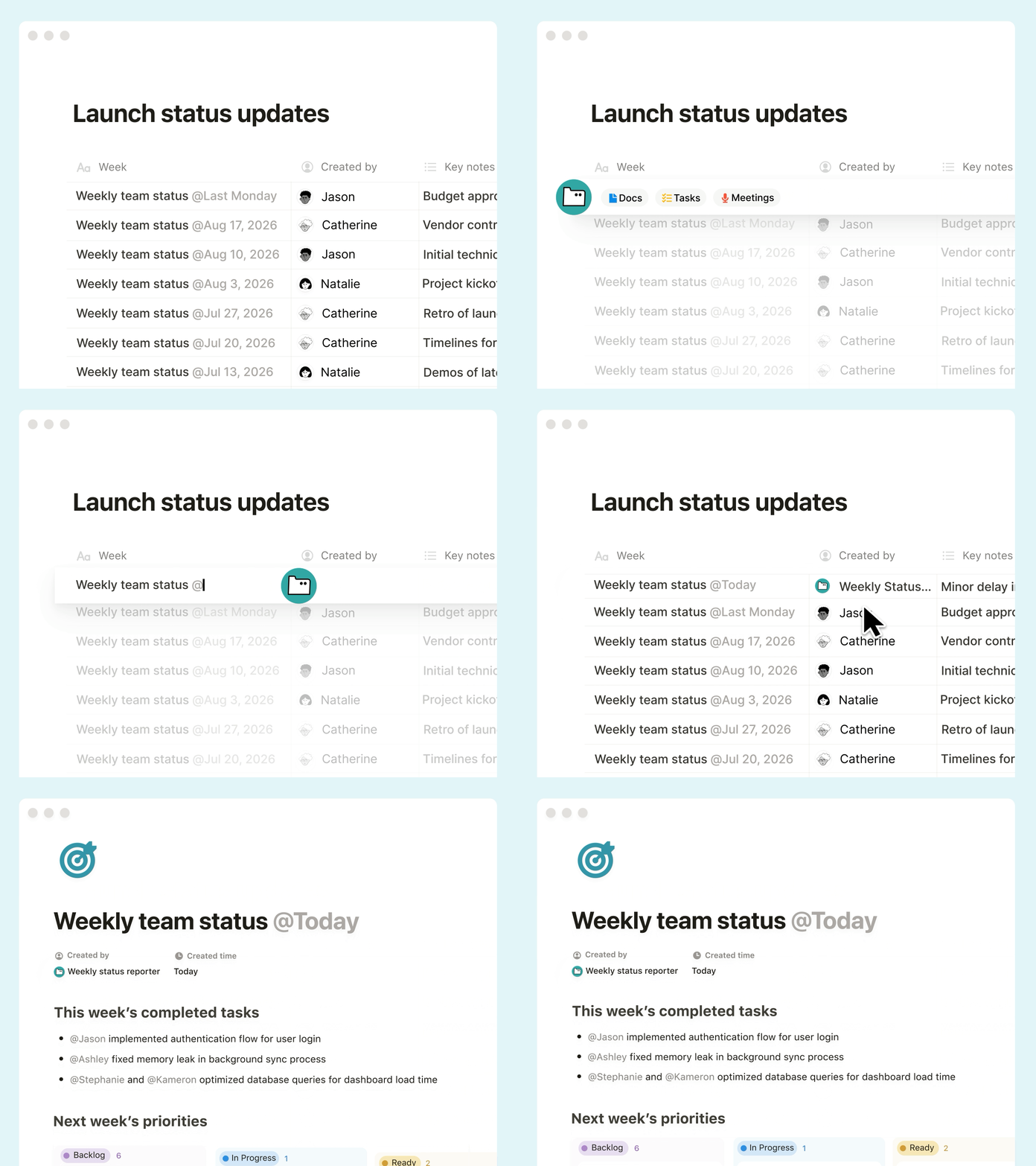
Olvídate de redactar actualizaciones manuales durante horas: un agente puede automatizar tus Standups diarias, el resumen semanal de sprints o el informe mensual de OKR. Solo tienes que darle el contexto adecuado en todas tus herramientas y se encargará de todo.
Morgane Palomares, vicepresidenta de Marketing en Braintrust, afirma que los Agentes personalizados la ayudan a tomar decisiones más rápido. “Un agente que supervisa a la competencia publica actualizaciones diarias y nuestro agente de referencias de los clientes nos envía a mí y al CEO un resumen semanal de los logotipos más destacados que se acaban de lanzar. Cada actualización me permite ahorrar 20 minutos al día”.
Crea agentes para cada flujo de trabajo
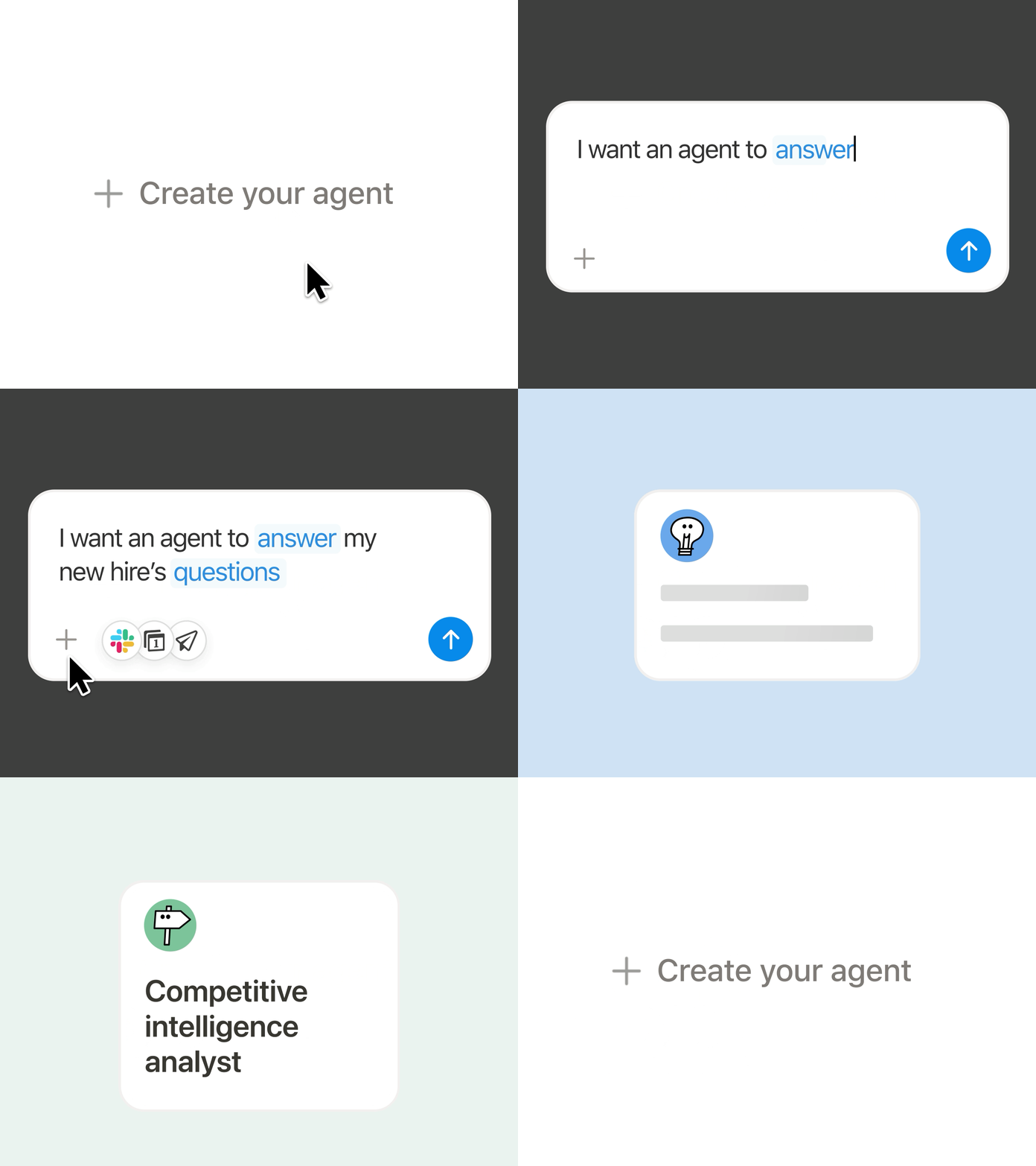
Nuestros primeros usuarios crearon más de 21 000 Agentes personalizados y en Notion contamos con 2800 agentes que están activos día y noche. Describe lo que quieres en lenguaje natural y la IA de Notion creará el agente por ti. Podrás ajustar los activadores, las instrucciones y las fuentes, e incluso elegir el modelo de IA que quieras usar. También contamos con plantillas de agentes para los flujos de trabajo más comunes.
Los Agentes personalizados le abrieron un mundo nuevo a Brian Emerick, gerente de programas técnicos de Vercel. “Es una excelente manera de crear algo de forma rápida y elegante sin complicar demasiado una solución personalizada”.
Integra Agentes personalizados con Slack, Mail, Calendar y MCP
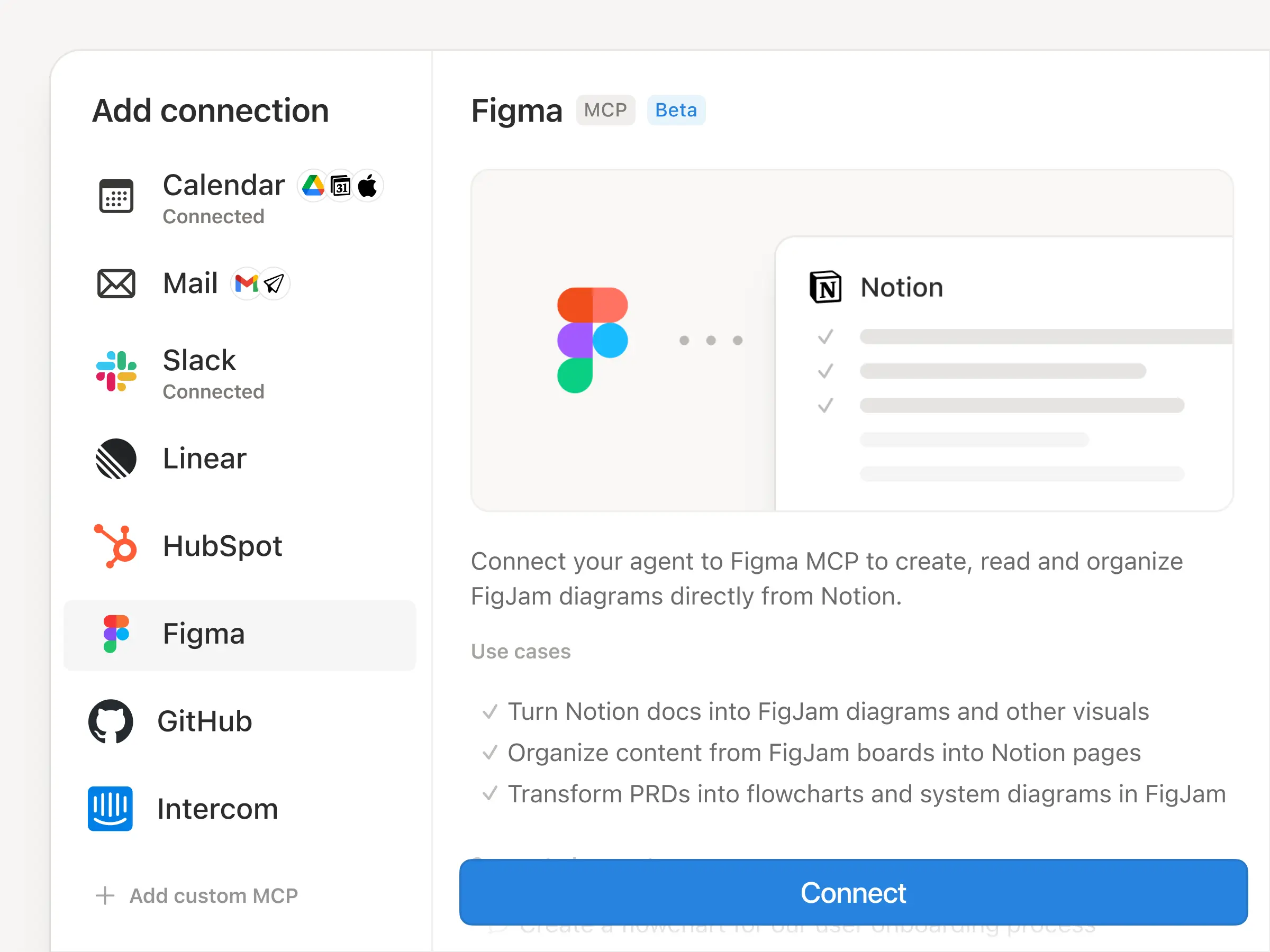
Los Agentes personalizados también funcionan en tus herramientas diarias. Conéctate a Slack, Notion Mail, Notion Calendar y herramientas como Linear, Figma y HubSpot a través de MCP.
Clasifica tu bandeja de entrada y redacta respuestas de correo electrónico con el Asistente de correo electrónico. Organiza el tiempo entre varios participantes con el Programador de equipos. O conecta FigJam y Notion para convertir tableros en documentos y documentos en diagramas.
Tú controlas lo que los Agentes personalizados ven y hacen
Confiar en la IA con flujos de trabajo reales puede parecer riesgoso. Es por eso que creamos Agentes personalizados con un diseño seguro y transparente. Tienes control absoluto sobre su acceso y puedes desactivarlos en cualquier momento. Cada ejecución queda registrada, de modo que los cambios son visibles y reversibles. Los admin de equipos con planes Business y Enterprise pueden controlar quién puede crear agentes. Descubre más →
Paga solo por el trabajo que realizan los Agentes personalizados (a partir del 4 de mayo de 2026)
Los Agentes personalizados trabajan a una escala que antes no era posible: un banco ilimitado de compañeros de equipo que trabajan las 24 horas. Los créditos de Notion ofrecen a los equipos la flexibilidad de adaptarse a sus necesidades.
“Poco a poco, nuestro equipo se aleja de la gestión independiente de tareas en una base de datos de @NotionHQ
para pasar a trabajar únicamente a través de conversaciones con los agentes de Notion”. –@bran_don_gell, director de Operaciones de Every
“Es probable que pronto haya más agentes trabajando en Vercel que personas. Tenemos un agente que se puede mencionar en Slack y que califica y reescribe borradores para el director ejecutivo. Para hacerlo, sigue las instrucciones de nuestro jefe de personal sobre cómo comunicarse con él”. –Brian Emerick, gerente técnico de Vercel
“En la última semana, creé 15 agentes… Es increíble”. – @MattSilver, cofundador de Cargado
“Pasaba bastante tiempo revisando los canales de Slack y leyendo todos los materiales para asegurarme de estar al día con todo. Ahora, con los Agentes personalizados, recibo un resumen en automático”. –Willie Yao, jefe de Desarrollo en Clay
“Hace un par de semanas accedimos a los Agentes personalizados y se han vuelto virales en toda la empresa. El software empresarial está cambiando con rapidez y Notion está a la vanguardia”. –@samlambert, CEO de Planetscale
“Los nuevos Agentes personalizados de Notion son impresionantes. Esta será la forma en que gran parte del mundo creará su primer agente”. -@DBredvick, desarrollo de GTM en Vercel
“Estoy listo para enviarte dinero por Venmo. Esto me genera muchísimo entusiasmo”. – Jefe de producto
Y esto es solo el comienzo para los Agentes personalizados. ¡Pruébalos, compártelos y danos tu opinión!
P.D.: El 12 de marzo organizaremos un taller en vivo donde crearás tu primer Agente personalizado y aprenderás a automatizar los flujos de trabajo más repetitivos de tu equipo.Regístrate aquí →
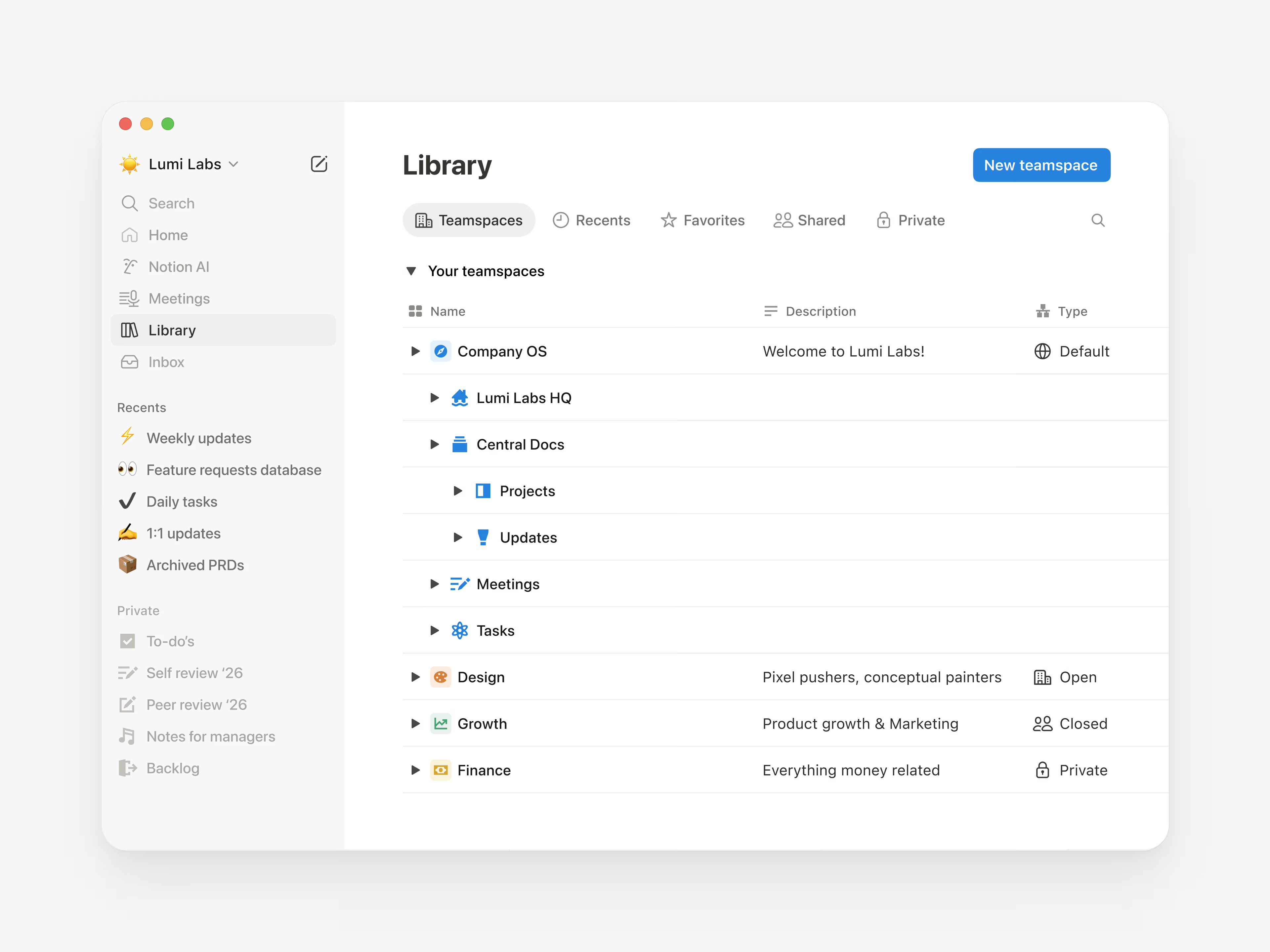
Conforme tu espacio de trabajo crece, la barra lateral puede terminar abarrotada. Biblioteca resuelve este problema con una vista de página completa para tu contenido más importante: espacios de equipo, recientes, favoritos, páginas privadas y compartidas; todo con pestaña propia.
Empieza con una hoja en blanco. Personaliza tu barra lateral para que solo se vea lo que usas a diario. Todo lo demás queda en la Biblioteca, para cuando lo necesites.
Claude Opus 4.6 es el modelo más potente que Anthropic ha lanzado hasta la fecha. Cuando le pides cosas complicadas, las divide en pasos concretos y entrega trabajos pulidos incluso cuando se trata de tareas ambiciosas. Para los usuarios de Notion, más que una herramienta, es un colaborador que sabe hacer un montón de cosas.
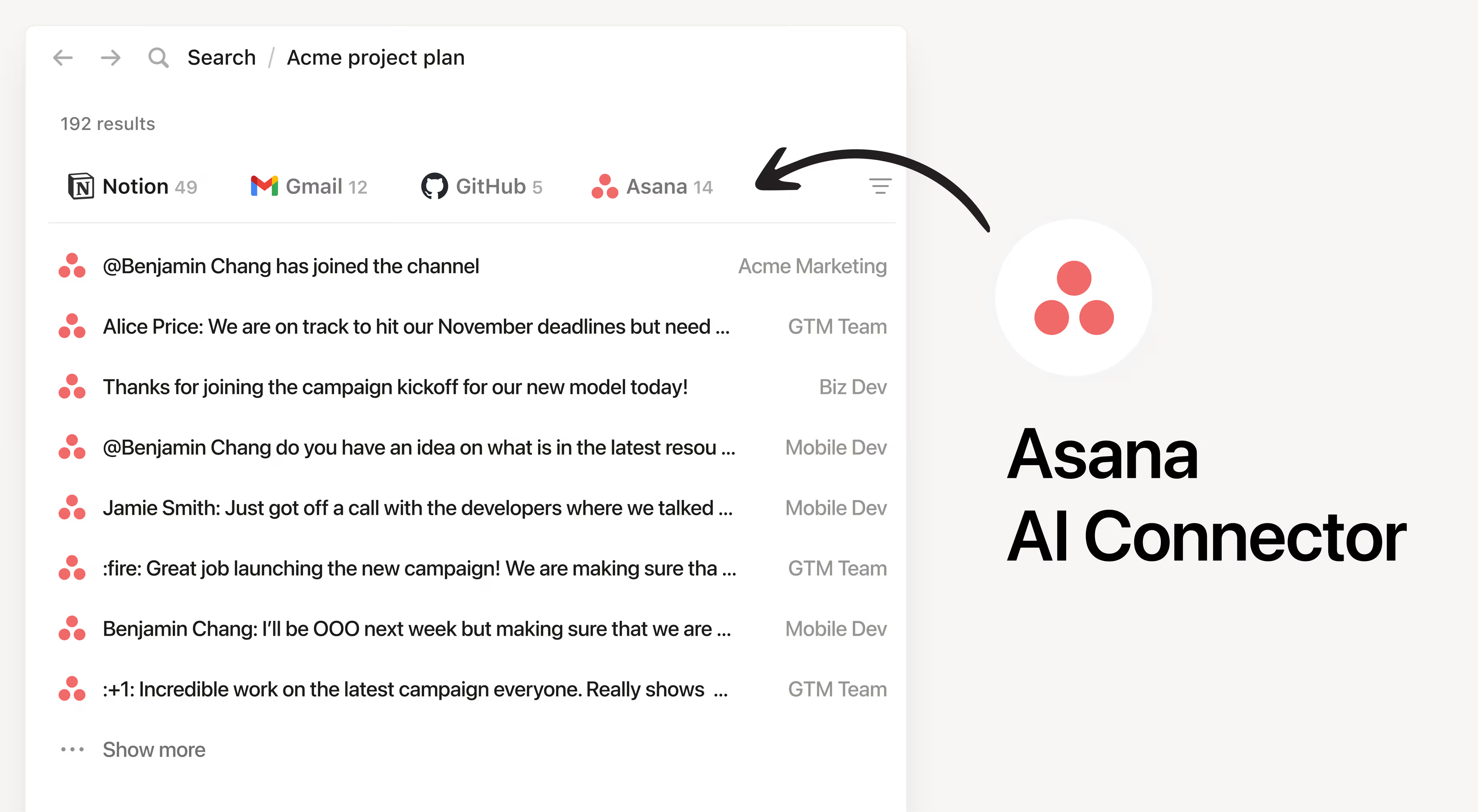
Ahora tu agente de Notion encuentra proyectos y tareas en Asana en segundos. Pregunta cosas como: “Muéstrame tareas atrasadas, agrupadas por responsable” o “Crea una lista de tareas en curso de Proyecto X y marca las tareas bloqueadas”.
Usa esta función para verificar estados, identificar qué requiere atención y ve lo que sigue, todo sin salir de Notion. Todo el proceso respeta los permisos vigentes en Asana.